Managing multiple projects at once is never easy – but when each initiative competes for resources, deadlines, and visibility, it’s a downright headache.
Project portfolio management (PPM) templates give managers a structured way to track what matters across an entire portfolio: progress, budgets, risks, workloads, and outcomes.
Instead of juggling scattered spreadsheets or manually gathering updates, these templates centralize key information and make it easier to make data-driven decisions. Don’t start from scratch; instead, leverage a pre-built employee template to better manage projects and avoid time-killing issues and bottlenecks.
Below, you’ll find the 10 best project portfolio management templates to help you stay organized, aligned, and ahead of schedule.
What is a project portfolio management template?
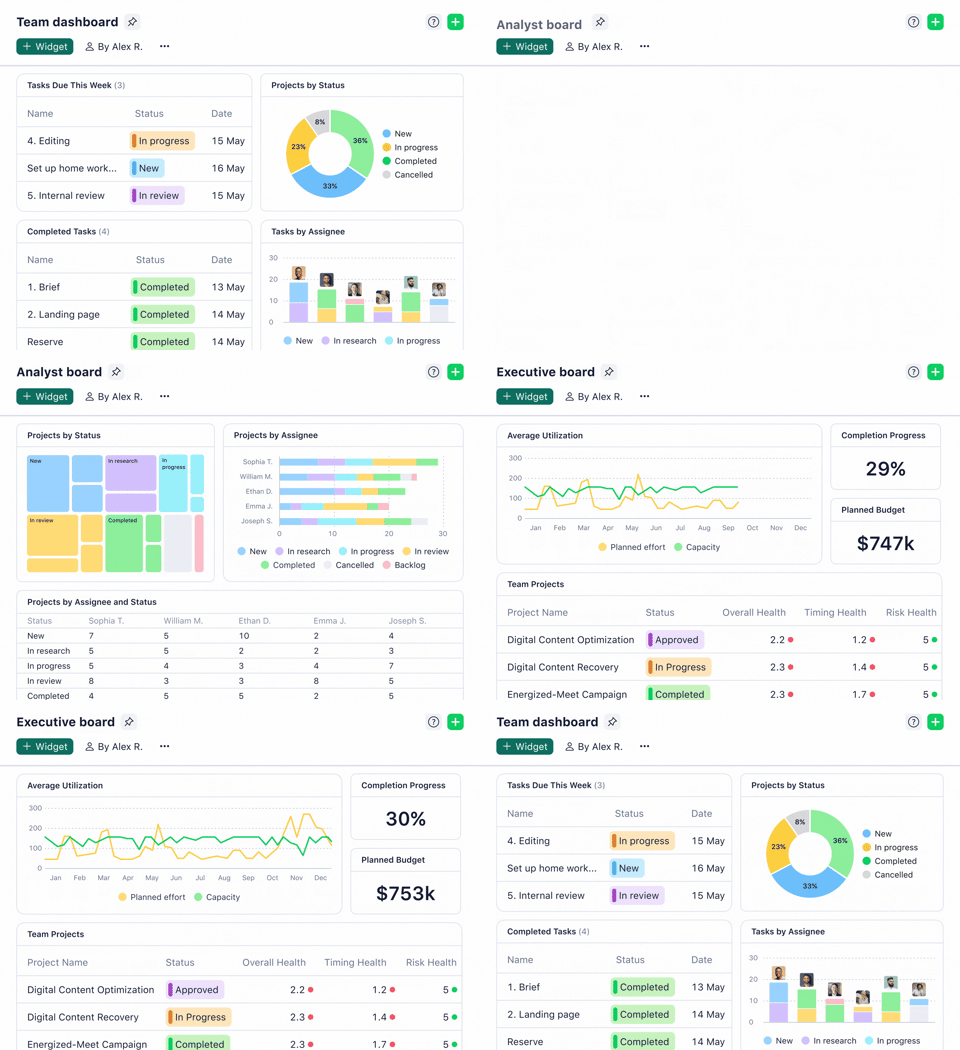
A project portfolio management template is a structured document or board that helps teams organize multiple projects in one centralized view.
Basically, the keys to the castle for managers to assess project statuses, allocate resources, and evaluate performance across an entire portfolio. There’s plenty of variation within this, though, and the best template for you will depend on your needs.
🙋🏻♀️ What are these templates best used for?
These templates are best for managers who need a reliable system to monitor every active project, prevent overload, and make informed decisions at scale.
They save time, improve coordination, and ensure stakeholders stay aligned without constant manual follow-ups – ideal for anyone balancing priorities across teams or departments.
10 Project Portfolio Management Templates
1 Project Portfolio Management Template
👉 Available on: monday.com
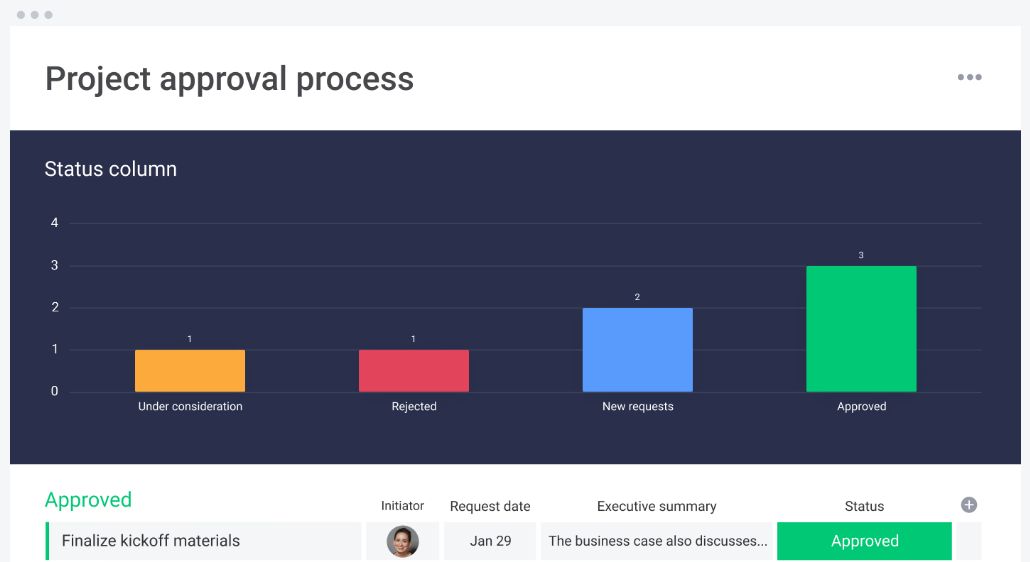
This template centralizes every project in a clean, customizable dashboard, making it easy to compare timelines, resources, and progress at a glance.
It helps managers gain high-level visibility over workloads, risk levels, and team capacity – all without digging through endless update emails or poring over Slack messages. For fast-moving teams, this is one of the simplest ways to bring order to complex portfolios.
🏅 Why this is an effective project portfolio template: It eliminates silos by pulling multiple projects into one unified workspace, helping managers catch delays early and communicate updates efficiently. Best used in conjunction with project management templates for each activity within the portfolio, you can unify processes and ensure alignment across departments.
Try this template on monday.com
Pro-Tip: We found that color-coding projects by stage (planning, in progress, blocked, complete) dramatically speeds up weekly reviews – especially when presenting to stakeholders. It seems simple, but a surprising number of organizations use columns with text alone, preventing quick scans.
2 Project Management Portfolio
👉 Available on: ClickUp
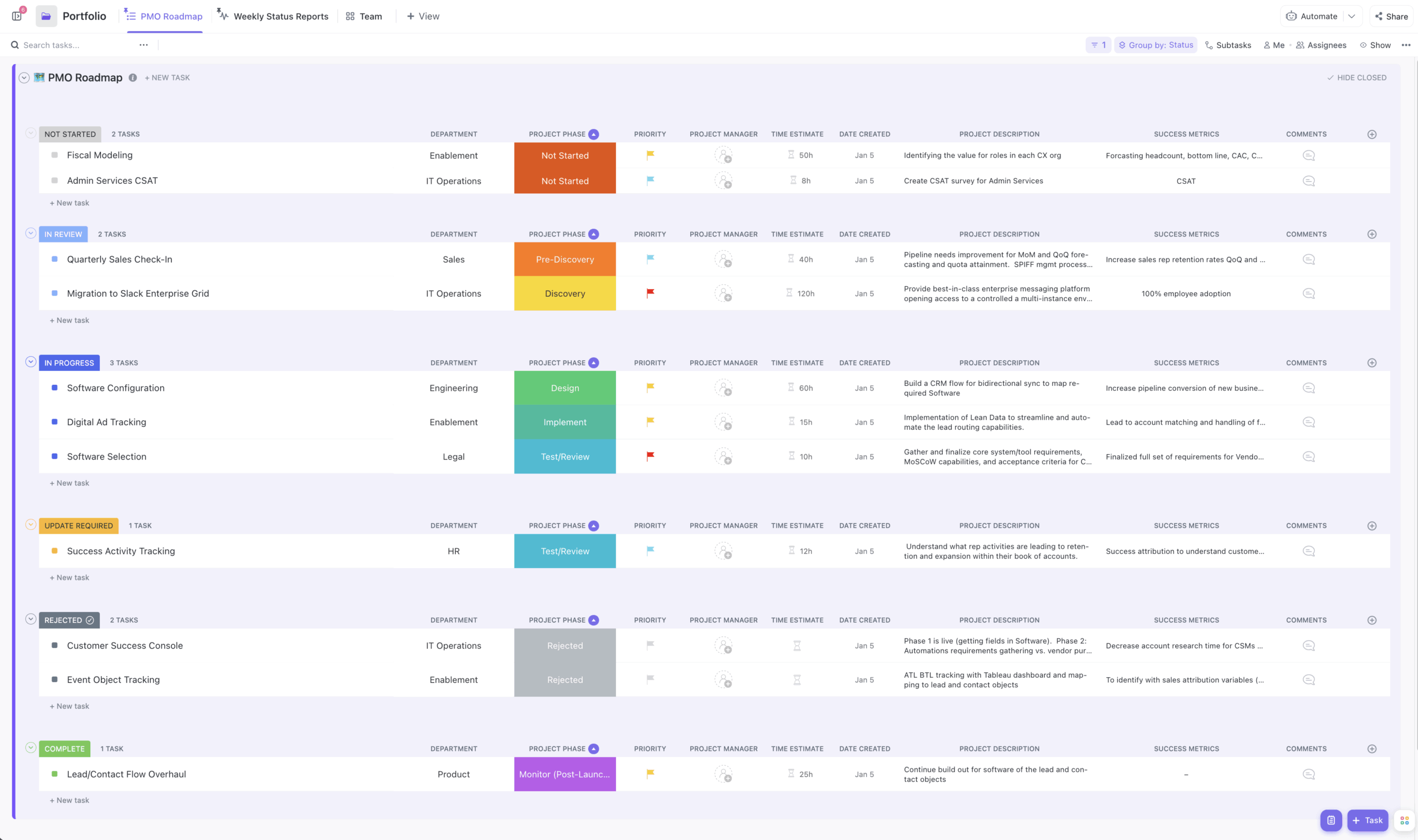
ClickUp’s portfolio template gives you a performance-focused overview of all active projects, including workload and project-health metrics.
It’s flexible enough for cross-functional teams and ideal for leaders who want real-time insight across sprints, operations, and long-term initiatives.
🏅 Why this is an effective project portfolio template: Its advanced filtering and scoring features help teams prioritize high-impact projects – a major win for outcome-driven managers. It’s also easy to use, and an easy tool for anyone to pick up and start using without training in a matter of seconds.
3 Single Project Template
👉 Available on: monday.com
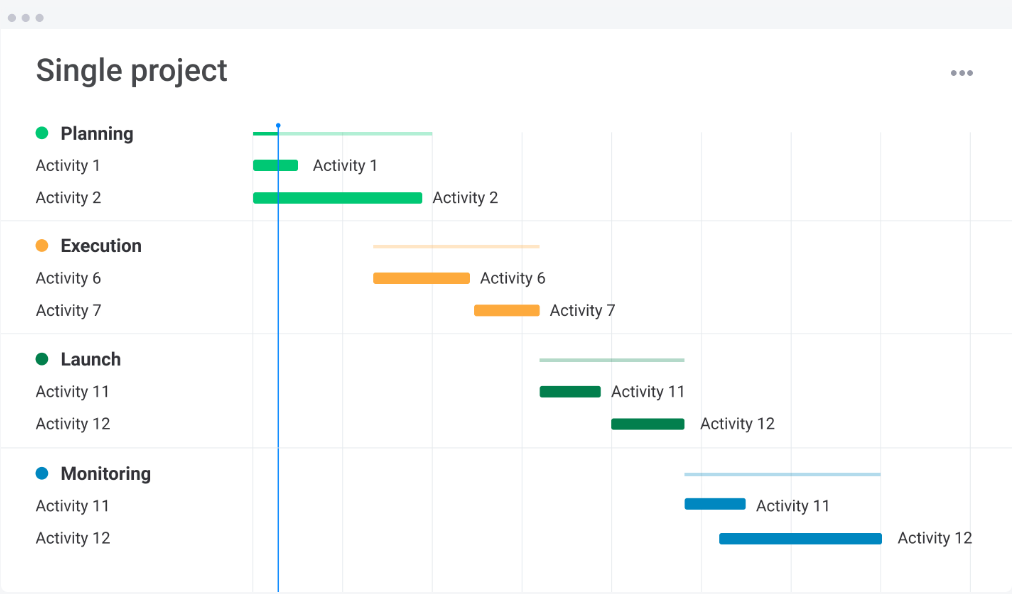
Even though this template focuses on one project, it’s incredibly valuable for portfolio managers who need uniformity across different teams or departments.
It standardizes how information is captured, making portfolio-wide reporting much easier. Instead of having to compile multiple different project templates into one portfolio, it means they can be imported and cross-referenced with ease.
🏅 Why this is an effective project portfolio template: Consistency is everything in portfolio oversight. When every project includes the same fields and structure, you can evaluate performance quickly and accurately—failing to standardize leads to misreporting, misunderstandings, and unnecessary performance loss.
Try this template on monday.com
Pro-Tip: While standardizing is crucial, you should still allow your teams some flexibility in their use of the template. Some fields will apply across the board, like budgeting, but certain teams might need specific fields in their project templates. Allowing them the freedom to edit slightly keeps everyone happy, both leaders and their teams.
4 Project Budget Template
👉 Available on: ProjectManager
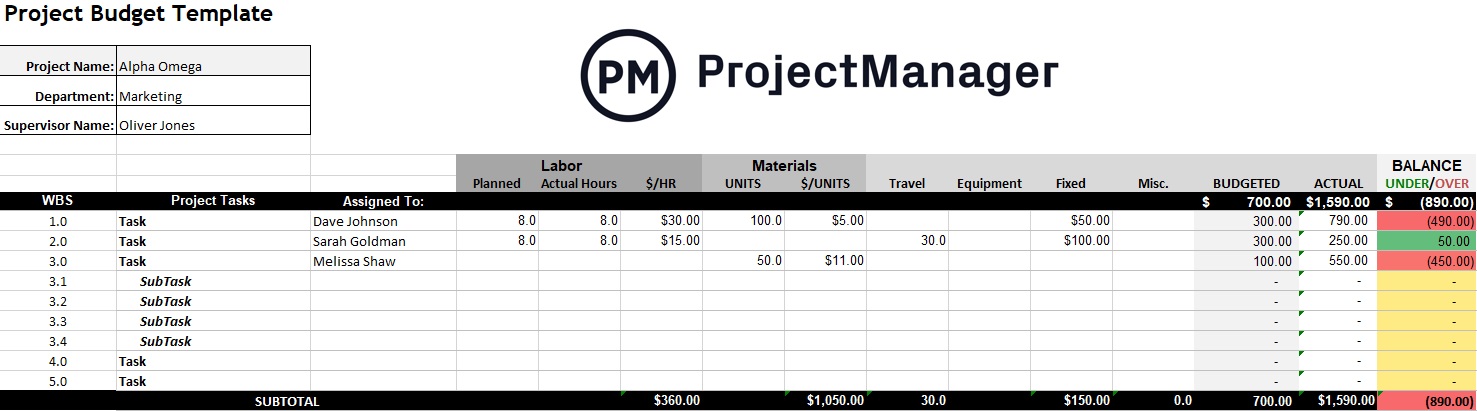
This template simplifies financial oversight by helping you track projected vs. actual costs across a portfolio. With built-in sections for labor, materials, and resource allocation, managers can easily monitor where money is going – and where it shouldn’t be.
🏅 Why this is an effective project portfolio template: It provides clear financial transparency and helps decision-makers forecast more accurately. It aligns brilliantly with project scoping, allowing leaders to quickly analyze the potential cost of upcoming projects before committing.
Try this template on ProjectManager
Pro-Tip: Project Manager has an award-winning Gantt chart feature, allowing you to apply costs directly to tasks. We find users often overlook this feature, but it’s a powerful way to cost out entire projects on a step-by-step basis, not just by cost category.
5 High-Level Project Plan Template
👉 Available on: ClickUp
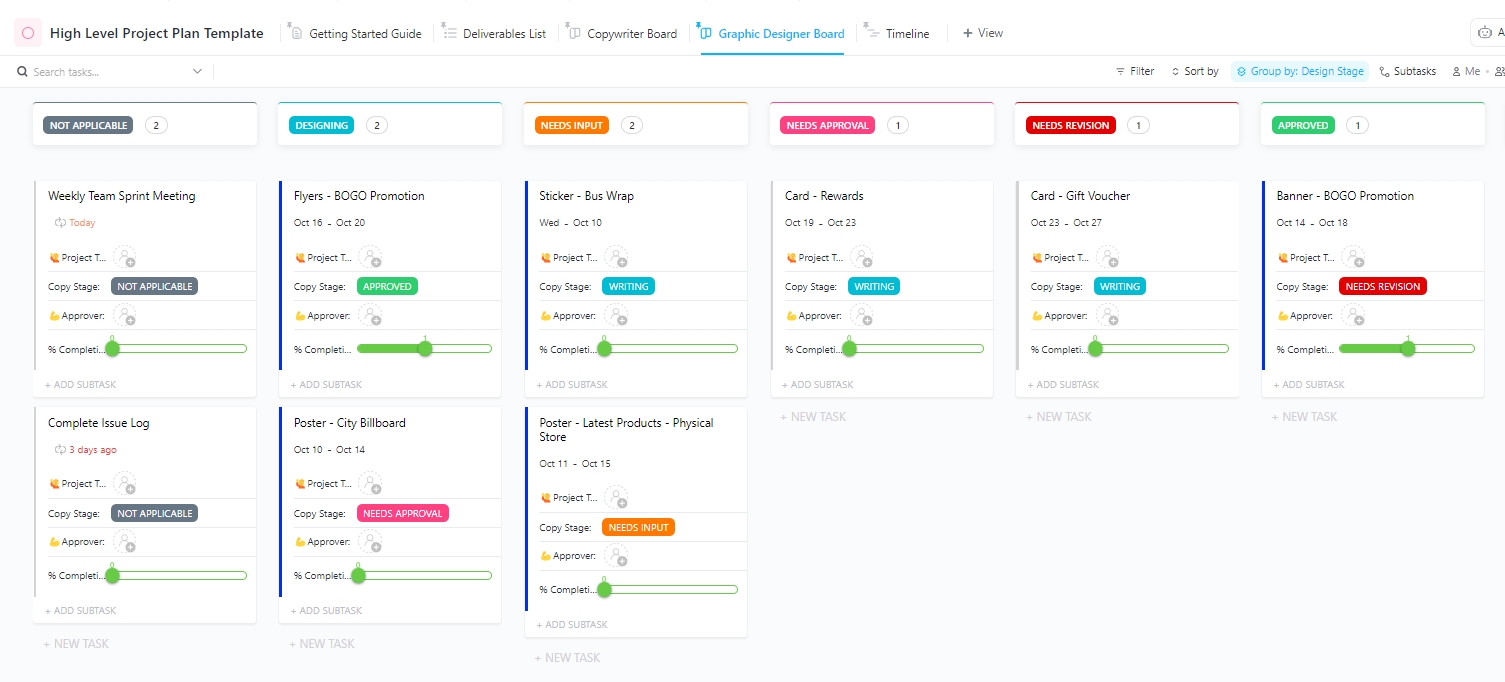
This template is designed for strategic planning across major initiatives. It highlights milestones, risks, and dependencies so managers can see how various projects connect, overlap, and impact overall team capacity – plus, it provides a clear timeline for tasks and deadlines.
🏅 Why this is an effective project portfolio template: It’s perfect for leadership teams who want a bird’s-eye view of strategic priorities. It also supports team collaboration, allowing multiple departments to quickly see the capacity of others – and where they might need support.
6 Cost-Benefit Analysis Template
👉 Available on: Notion
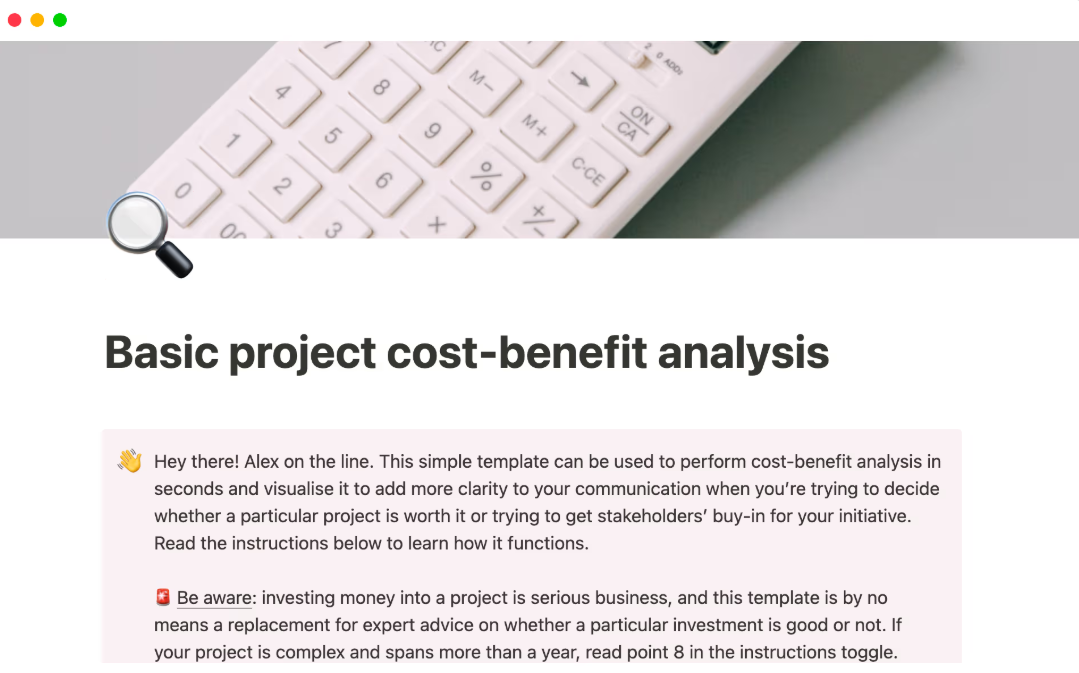
This Notion template helps managers quantify the financial and strategic value of each project – crucial when deciding which initiatives deserve funding. You can compare projected costs, timelines, and potential returns side by side.
🏅 Why this is an effective project portfolio template: It supports better prioritization and resource allocation, helping you choose projects that deliver maximum ROI. Often, it’s challenging to compare projects from different departments: they have totally different KPIs, sometimes with little crossover. This template makes it a little easier by showing costs and benefits in one place.
Pro-Tip: We found that scoring projects based on long-term impact vs. immediate effort is a good way to cut low-value tasks from an overloaded pipeline. Instead, it identifies which projects will truly and sustainably benefit your organization
7 Weekly Wins Template
👉 Available on: Miro
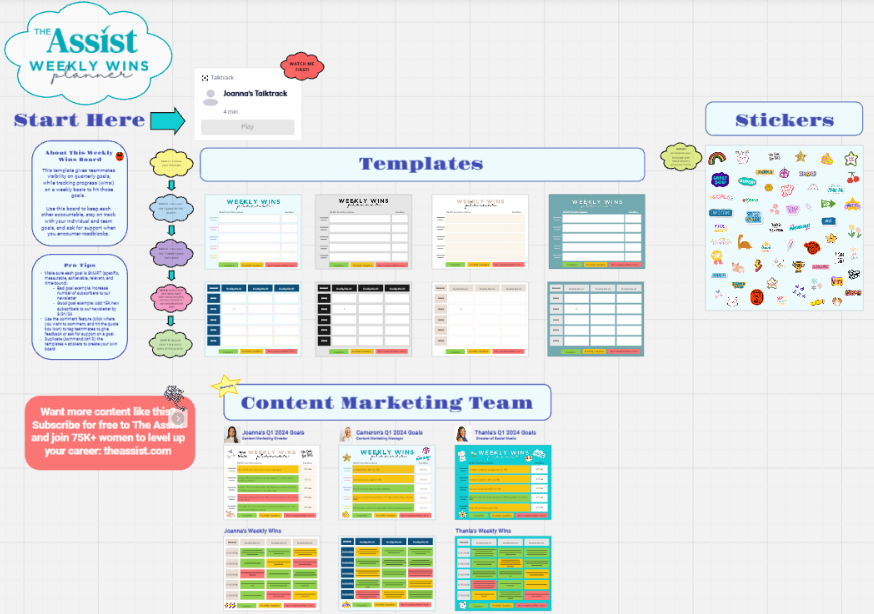
Celebrating wins is essential for team morale – and this employee template gives managers a structured way to highlight progress each week across multiple projects. You can track achievements, blockers, lessons learned, and cross-team dependencies in a visual board.
🏅 Why this is an effective project portfolio template: It makes progress visible and keeps motivation high, especially in long or complex projects. You can break them down into manageable steps, and then make sure each is celebrated as it’s achieved: your employees and leadership team alike can see and enjoy their successes.
8 Amazing Kanban Project Management Template
👉 Available on: Trello
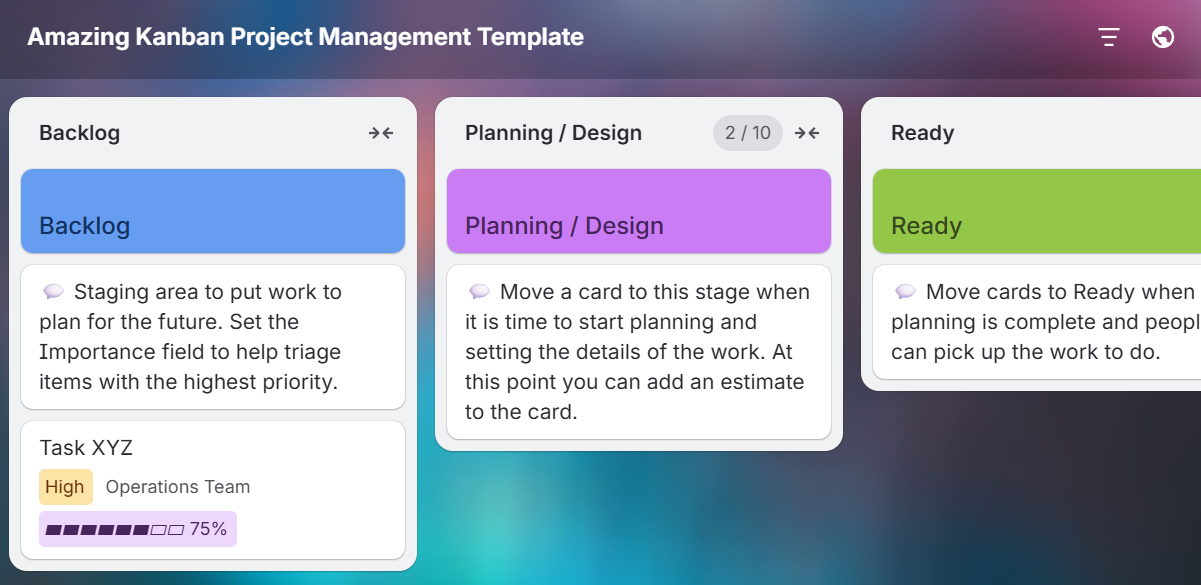
This Kanban-style template organizes project workflows using drag-and-drop boards, making it an intuitive choice for agile teams. Managers can see what’s in progress, what’s blocked, and what’s complete across multiple projects.
🏅 Why this is an effective project portfolio template: Its simplicity increases team adoption and reduces friction – especially in dynamic environments. However, despite its easy accessibility and ease of use, it remains an incredibly powerful tool for reporting and tracking, and a great way to make management easier.
9 Project Portfolio Status Report Template
👉 Available on: Smartsheet
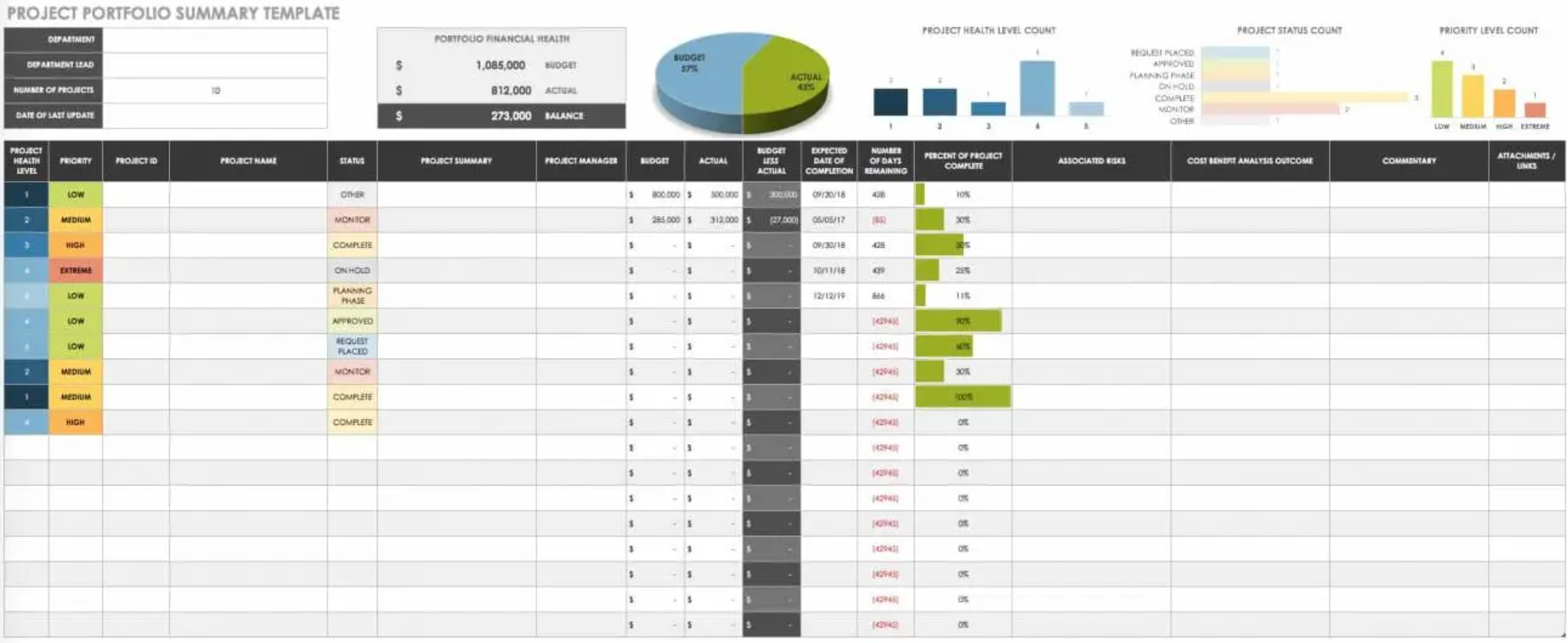
Smartsheet’s status report template gives managers a detailed snapshot of every project: health, progress, risks, budget, and upcoming deadlines. The layout is clean, executive-friendly, and easy to update weekly or monthly.
🏅 Why this is an effective project portfolio template: Its structured reporting reduces the time spent assembling stakeholder updates. The dashboard display offers a snapshot of budgeted costs versus actual spending, as well as the distribution of projects across the health, status, and priority categories.
Try this template on Smartsheet
Pro-Tip: You should build an archive of monthly reports, storing each so you can refer back to them later: this makes trend analysis much easier, especially for quarterly or yearly reviews.
10 Powerful Campaign Planning Template
👉 Available on: monday.com
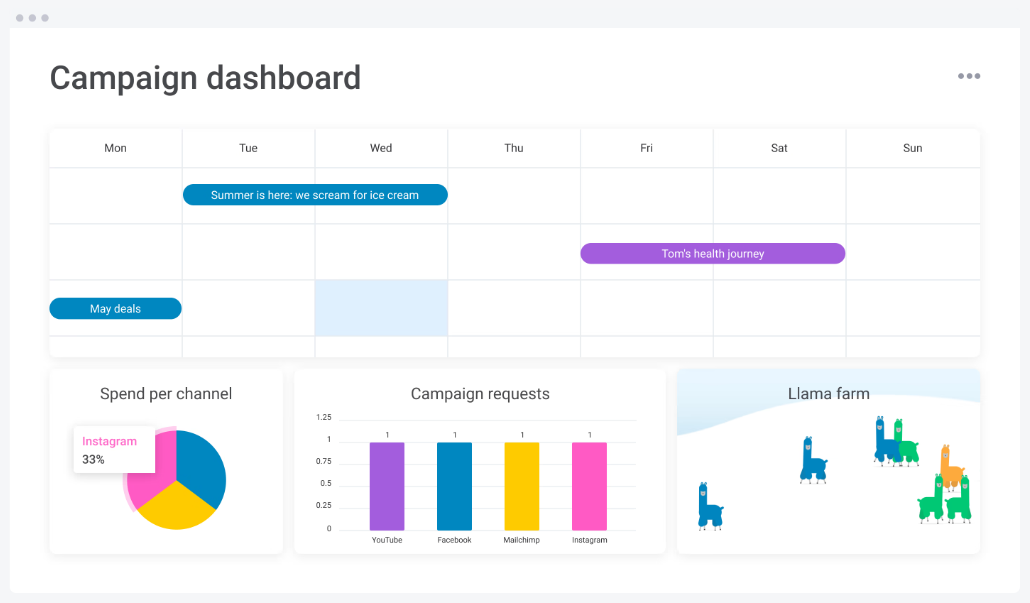
This team collaboration template helps marketing teams track campaigns across channels, timelines, budgets, and performance metrics. It’s particularly helpful for portfolio managers overseeing content, creative, paid media, and cross-functional collaboration.
🏅 Why this is an effective project portfolio template: It turns multichannel chaos into an organized system, making it easier for creative teams and leadership to collaborate.
Try this template on monday.com
Pro-Tip: Set up automations so employees are notified immediately once something is assigned to them. It’s all well and good putting tasks into the template, but individuals may forget to check it: automated notifications prevent this issue.
Conclusion
The right project portfolio management template can drastically reduce the complexity of overseeing multiple initiatives. Whether you’re managing budgets, tracking performance, or aligning stakeholders, these templates streamline workflows and support smarter decision-making.
Try a few options to see which structure fits your team’s needs best – and remember that the most effective templates are the ones your team will actually use.
With clear organization, consistent reporting, and better collaboration, you’ll be able to deliver stronger outcomes across every project in your portfolio.