Office collaboration has changed fast. And no, it’s not going back to endless email threads and whiteboard meetings!
AI and automation are now part of how teams communicate and collaborate almost every day.
By 2026, the smartest teams won’t be the busiest ones, but the ones using the right tools to work better, not longer.
Don’t worry! This blog post shares what it takes to build a smart team in 2026.
Read on to learn how to use AI and automation to improve your office collaboration.
How Office Collaboration Has Evolved
Office collaboration has officially outgrown desks and meeting rooms. Teams now work across time zones and devices, which means flexibility isn’t a perk but the baseline.
If your tools can’t support digital and hybrid work, effective communication and collaboration slow down fast.
Email, chat apps, file-sharing tools, and video calls laid the springboard for modern teamwork, but they also created endless coordination and follow-ups.
The next shift came when cloud platforms and APIs linked these tools into shared workflows, making cross-functional team collaboration more seamless.
AI and automation are now the final layers, adding intelligence to those connected workflows.
With these in place, collaboration tools can surface data insights as well as support better real-time decisions. Take it from Tom Rockwell, CEO of Concrete Tools Direct, who’s investing in software automation and AI tools for team collaboration.
“We use automation and AI to keep everyone synchronized without slowing work down. It helps our team relay updates and manage handoffs, ultimately giving our stakeholders clear visibility.
That added context makes collaboration faster and decisions better.”
How Smart Teams Use AI and Automation for Office Collaboration
Who says AI and automation aren’t replacing teams?
They’re actually helping teams work smarter. AI handles context and decision-making, while automation keeps work moving without constant manual input. Together, they help improve team collaboration and performance!
AI: Doing the thinking faster
Smart teams invest in modern technologies and hire AI integration services. Why? AI can handle the “thinking faster” part of collaboration, helping teams stay coordinated and reduce back-and-forth. Ultimately, it allows them to move projects forward without losing context.
Common uses:
- Meeting summaries and key takeaways
- Drafting plans and proposals in emails or other content
- Tracking tasks and ownership
- Analyzing feedback and performance shifts
- Translating content for global teams
Popular Tools for Office Collaboration
1 Miro
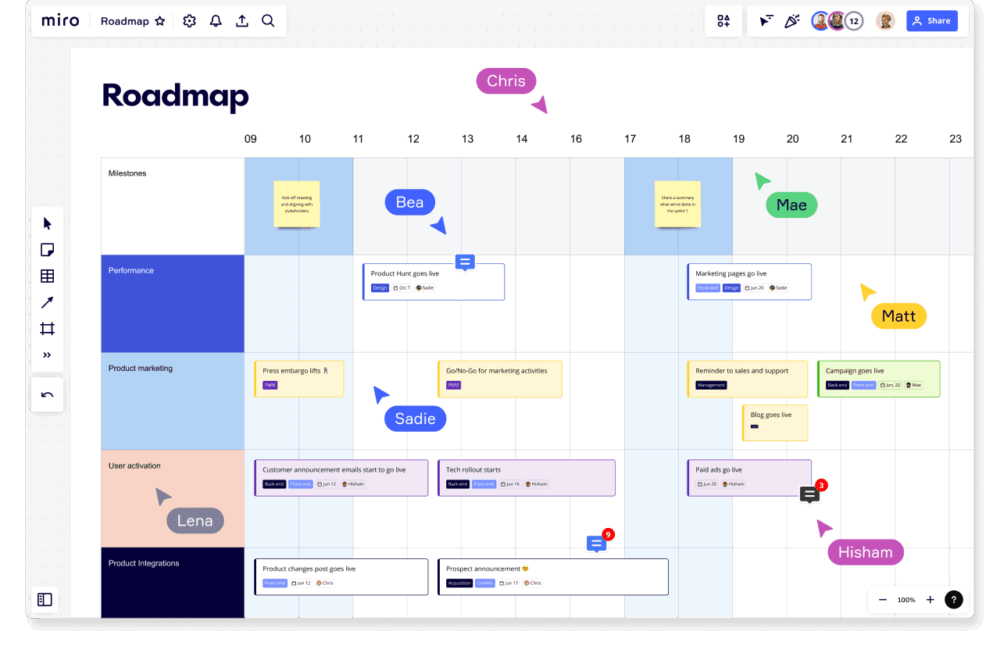
Miro gives teams a shared visual space to plan and align without incessant email threads. It’s especially useful for workshops and roadmaps, guaranteeing real-time collaboration across hybrid or remote teams.
2 monday.com
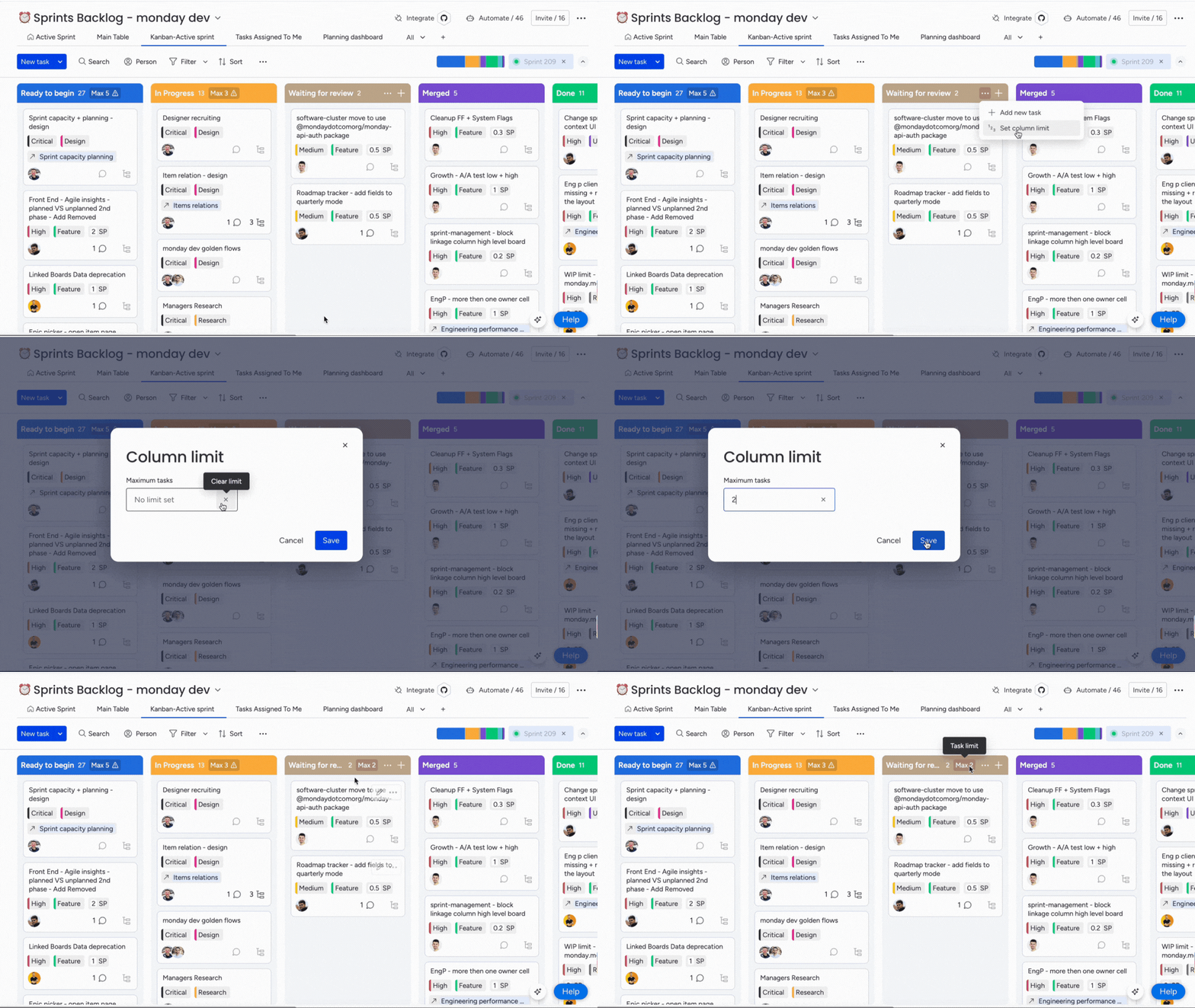
monday.com keeps tasks and updates in one place, so no one has to ask, “What’s the status?” It makes progress visible and workflows clearer, helping teams stay in sync on priorities with less manual tracking.
3 ClickUp

ClickUp turns big plans into executable tasks and keeps everything in a single workspace. It’s ideal for teams that want one hub for goals and projects.
4 Connecteam

Connecteam is built for deskless and frontline teams who don’t sit behind a laptop all day. It centralizes training and policies to make onboarding and compliance easier to manage at scale.
5 Deel
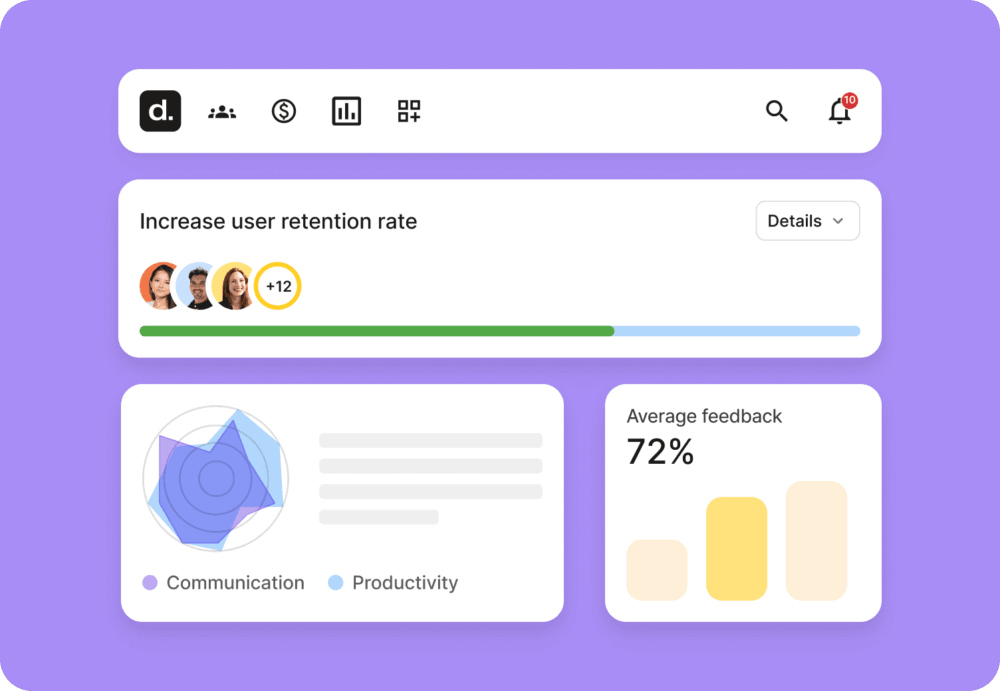
Deel removes the headaches of hiring and paying global teams by handling legal and payroll complexity for you. It’s a good fit for companies expanding internationally and looking for compliant workforce operations.
Automation: Keeping Work Moving
Automation handles the routine work. It keeps workflows running smoothly and lowers manual effort.
This makes sure nothing stalls because someone forgot to follow up. That’s why smart teams invest in office management tools powered by automation.
Business functions:
- Real-time data entry and system syncing
- Faster invoice and expense approvals
- Streamlined approvals and task handoffs
- Automatic CRM updates and activity tracking
- Deadline alerts and smart notifications
Common tools:
RPA tools
RPA uses software bots to handle repeatable tasks like moving data between systems, with no thinking required. It’s best for speed and consistency, with tools like UiPath, Automation Anywhere, Blue Prism, and Microsoft Power Automate leading the way.
Workflow automation platforms
These tools connect apps and processes, so workflows end-to-end without manual handoffs. They’re great for keeping teams and systems in sync, using tools such as Zapier, Make, Workato, and Tray.io.
No-code builders
These platforms let non-developers create automations without writing a single line of code. Tools like Airtable, Notion, Bubble, and Webflow help teams move faster without waiting on engineering.
How To Build a Smart, Collaborative Team with AI and Automation
Smart collaboration isn’t about replacing people. It’s about removing friction and freeing teams to focus on what matters. Ultimately, it’s about improving communication and collaboration for improved performance and business success.
As a good office manager or leader, here’s what you can do:
Find repetitive, time-consuming work. Manual, rule-based tasks are perfect for automation because they eat up time and slow down workflow. If a task is repetitive and predictable, automating it removes a bottleneck and keeps the team moving.
Start small with willing teams. Pick teams that are already open to change and keen to test new tools. Early wins from these groups create internal momentum and build confidence across the organization.
Set rules and human review points. Define what AI can handle and where humans need to step in to approve the output. Clear boundaries reduce errors and bias, as well as keep quality consistent.
Pick tools that fit the present workflows. Choose the best online collaboration tools that integrate with your current systems, so teams don’t have to reinvent how they work. The best tools reduce friction, not add it.
Train teams on AI use and automation. Training is essential for responsible and effective use. The goal is to make AI feel like a helpful teammate, not a confusing mystery.
Track results and employee feedback. Measure time saved plus errors avoided, not to mention team sentiment, to understand the real AI impact. These understandings help you strategically improve and expand automation.
Share wins and scale slowly. Celebrate early successes with fun office activities, but scale gradually to avoid burnout and resistance. A fun way to reward teams is to offer a custom t-shirt collection because nothing says “we nailed it” like matching gear. It keeps momentum going and builds team pride, turning early wins into long-term adoption.
Pros and Cons of AI-Powered and Automated Office Collaboration
AI and automation can speed up workplace collaboration. However, they also bring new risks and change how teams operate. The key is using them to enhance human work, not replace it. That way, collaboration stays smarter, not just faster.
Key Benefits
Efficient collaboration: AI and automation turn “who’s doing what?” into “done,” so teams move faster without the chaos.
Better data-backed decisions: AI turns data into “aha” moments, so you can stop guessing and start winning.
Ensured time and cost savings: Less manual work means fewer emails (or mistakes) and more time for real work (or coffee).
More room for creative work: AI and automation become morale boosters. When routine tasks vanish, your team gets to do the stuff that actually matters (strategy and creativity).
Improved work-life balance: With less busywork, burnout drops…and your life gets its calendar back!
Common Challenges
Job security concerns: When automation takes over the repetitive work, people worry that the robot is eyeing their desk next.
AI mistakes and limitations: AI can be brilliant…until it confidently makes something up. Human oversight is still the safety net.
Data security risks: More automation means more data moving around…and more chances for something sensitive to fall through the cracks.
Bias and quality control: AI is only as good as what it’s trained on. So, biased or messy results can sneak in if no one’s watching.
Training and adoption gaps: If teams don’t know how to use AI tools properly, they won’t reap the benefits… just more confusion.
Learn from Wang Dong, Founder of Vanswe Fitness. Dong says, “AI and automation have changed the way we sell fitness gear and equipment.” But when doing so, he first weighs the pros and cons of investing in these tools for his business.
“We use automation to handle order updates and inventory alerts, and AI to analyze search trends for items like adjustable dumbbells and resistance bands, so we can stock what customers actually want. The trick is balancing speed with oversight, because the tools are only as good as the people using them.”
— Wang Dong, Founder of Vanswe Fitness
Final Thoughts
Smart teams don’t use AI to replace people; They use it to remove the busywork that slows people down. When routine tasks disappear, teams have more space for strategy and creativity, ultimately making better decisions.
The real win is finding the sweet spot where human decision-making and AI work together. This helps teams move faster and stay competitive as work remains evolving.
Ready to improve office collaboration with AI and automation? Make the right technological investment for your team, while offering healthy snacks on the side.