If your team relies on monday.com, templates are one of the fastest ways to bring order, clarity, and consistency into your workflow.
Instead of building boards, automations, and dashboards from scratch, monday.com templates give you pre-built systems designed to streamline communication, reduce manual work, and help teams move faster on complex projects.
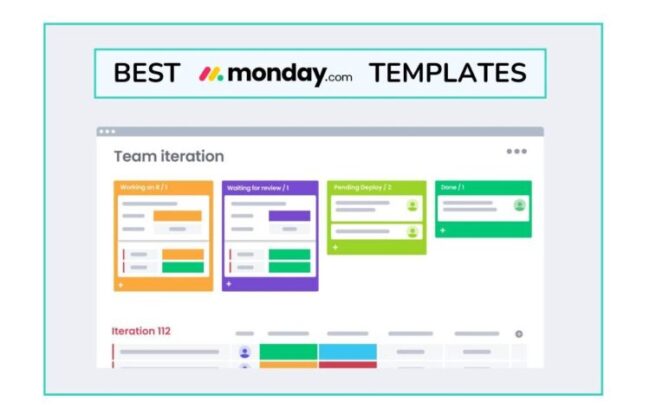
From project planning to HR workflows to content operations, these templates unlock productivity and keep cross-functional teams aligned – especially when paired with strong processes like those in our guides to online collaboration tools and team-friendly work OS platforms.
Whether you’re managing complex initiatives or daily team tasks, these customizable templates give you the structure at scale.
🔎 Need some help finding the right template?Jump to our favorite monday.com templates:
|
10 monday.com templates for work
monday.com offers a robust library of templates that help teams move quickly, stay organized, and boost productivity. Each template comes with built-in columns, automations, and workflows that reduce repetitive setup and encourage consistent processes – key to sustaining efficiency as teams grow.
These templates act as ready-to-use operational systems for teams looking to simplify their projects and get more work done in less time.
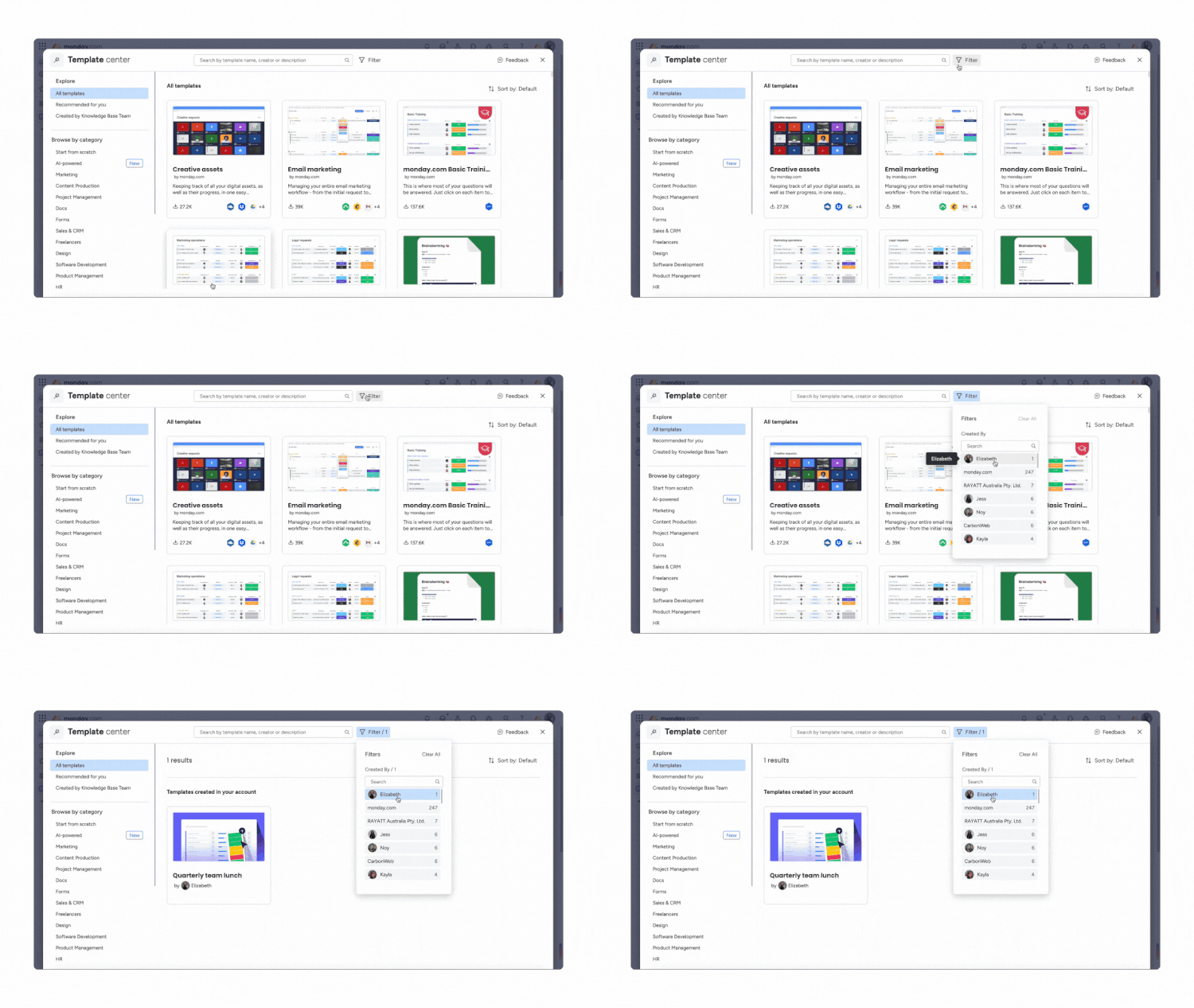
They’re especially valuable for teams looking to improve alignment, streamline approvals, or create repeatable processes that support strategic execution.
Combined with smart practices from our guides on project management templates and tools for managers, these are the best monday.com templates for improving productivity.
1. Project Requests and Approvals Template
Best for: Standardizing project intake and streamlining approval workflows
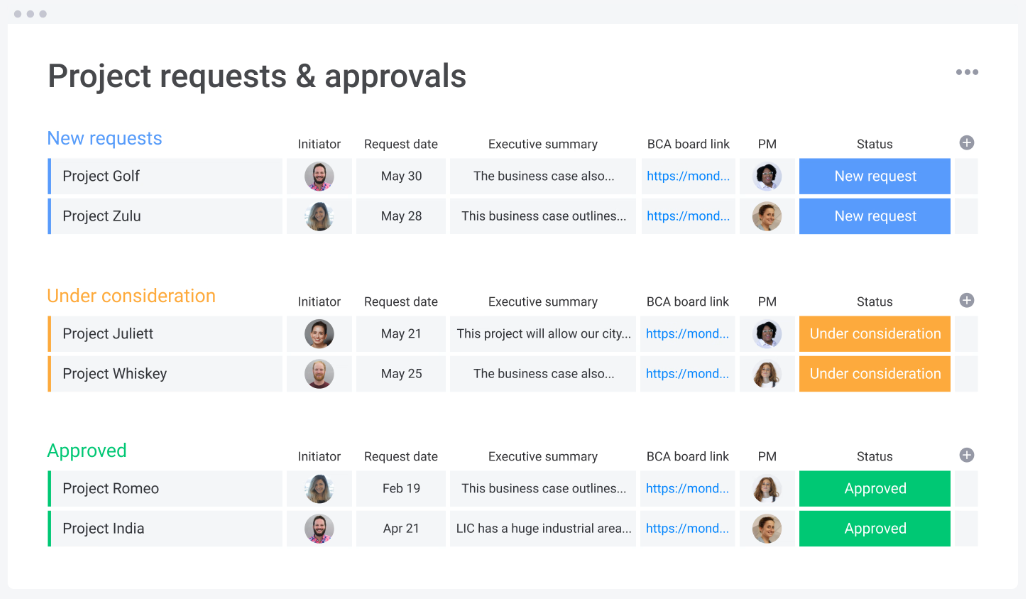
This template centralizes how teams submit, review, and approve new project requests. It eliminates scattered emails and inconsistent briefs by collecting all requests in a single structured board with clear, customizable fields for things like scope, urgency, and resource needs.
Built-in statuses and automations notify approvers instantly, helping leaders prioritize as and when new requests come in.
Why this is an effective monday.com template: It reduces bottlenecks, ensures all requests follow the same protocol, and gives managers a high-level view of workload capacity. When used in conjunction with an efficient project scope template, this provides more clarity for teams while helping them avoid scope creep.
Project Requests and Approvals Template
❗️ Pro-Tip: We found that adding an automation to flag high-impact or time-sensitive submissions reduced workspace delays. It allows leadership to respond immediately and have better oversight of their team’s requirements: no more unnecessary bottlenecks.
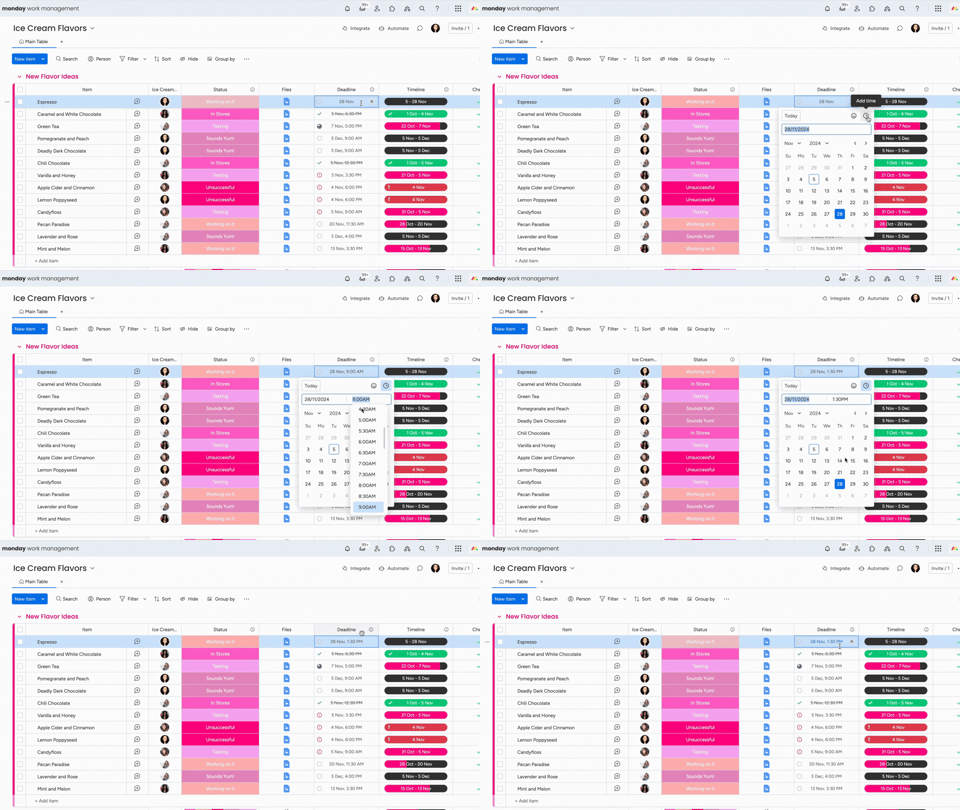
2. Single Project Template
Best for: Tracking milestones, tasks, and timelines for an individual project
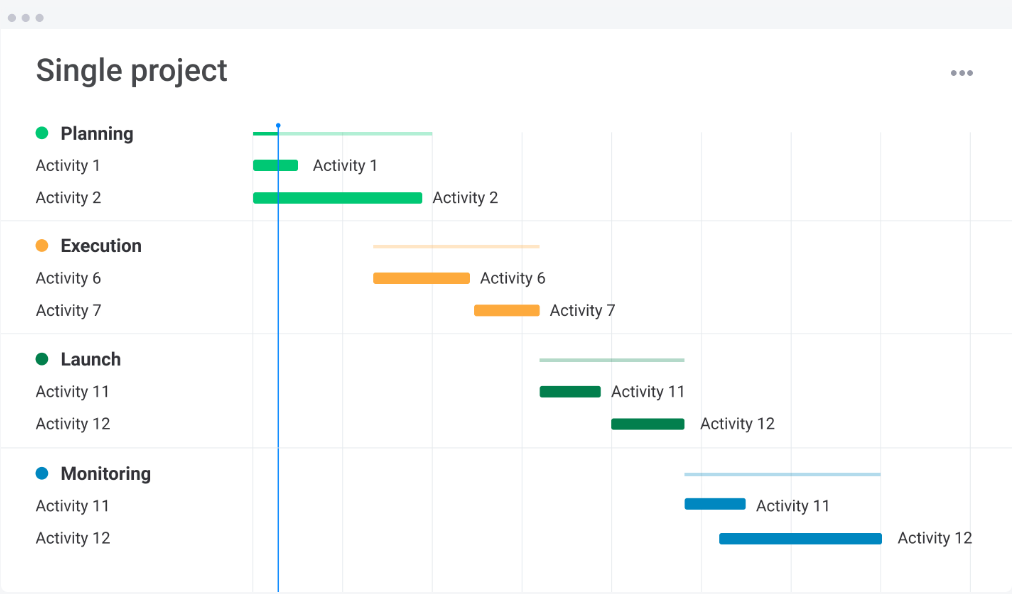
The Single Project Template is a clean, focused board that keeps all project details in one place. It includes owners, timelines, dependencies, resource notes, and a visual timeline that shows exactly where work stands.
Teams can easily assign tasks, monitor progress, and stay aligned on deliverables, preventing misunderstandings and delays.
Why this is an effective monday.com template: It’s perfect for project managers looking to achieve simplicity without sacrificing detail. The system works best in tandem with a project status reporting template, allowing for quick updates and transparent progress tracking regardless of scale.
3. Project Portfolio Management Template
Best for: Managing multiple initiatives across departments
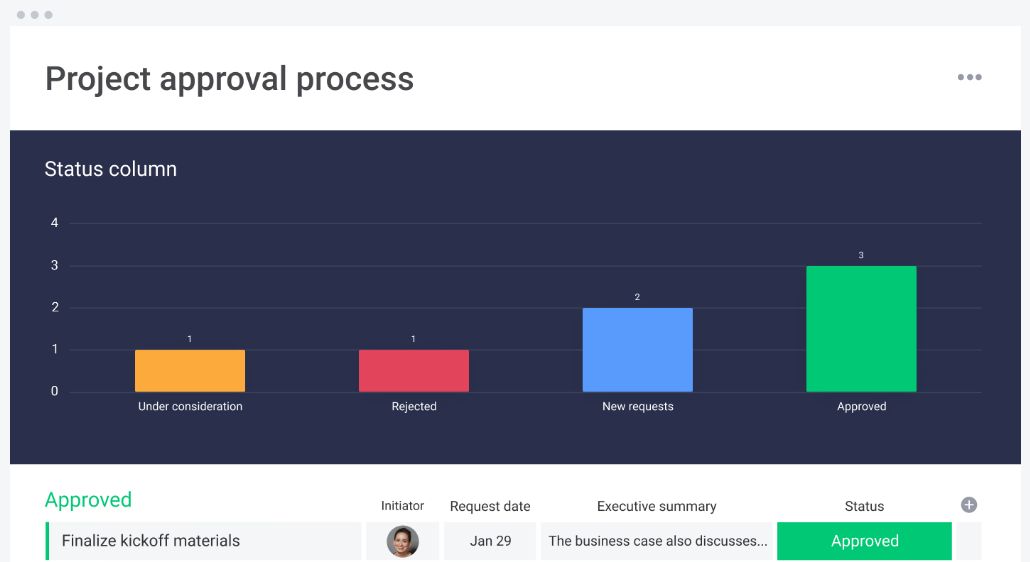
This template consolidates all ongoing projects into one master portfolio. Leaders get instant visibility into timelines, risks, budgets, and resource allocation, while teams stay aligned on shared priorities. It’s ideal for organizations scaling their operations or juggling several initiatives simultaneously.
Why this is an effective monday.com template: It helps organizations make informed decisions about workload balancing and strategic priorities. It can act as a high-level command centre for operations, improving team collaboration and saving time for leaders looking to allocate employee time.
Project Portfolio Management Template
4. Content Calendar Template
Best for: Managing marketing content, scheduling, and publishing
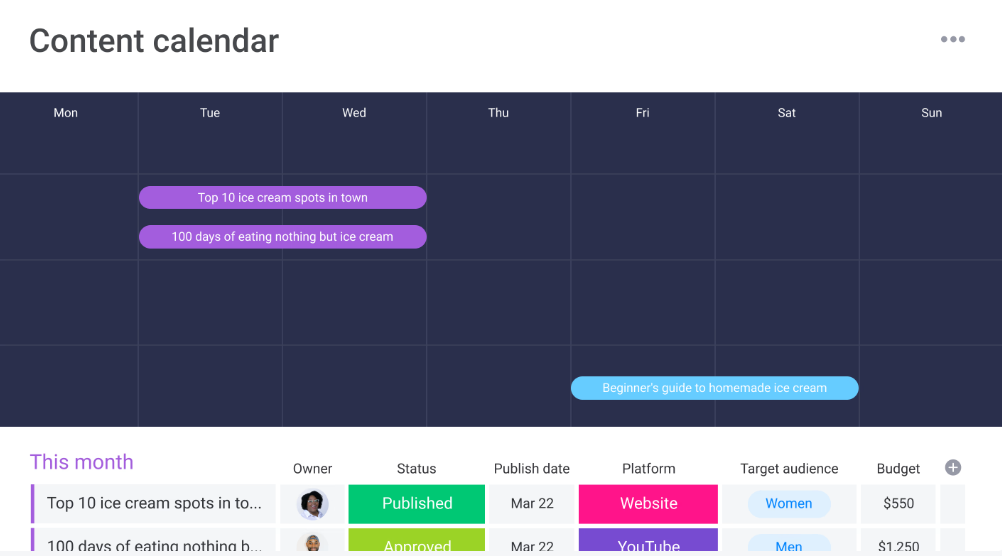
monday.com organizes content ideas, deadlines, owners, and statuses in one unified workflow.
It’s flexible enough for blogs, newsletters, social media, and campaign planning. The visual calendar provides a clear overview of publishing timelines, helping teams stay consistent and keep brand messaging and voice aligned.
Why this is an effective monday.com template: It creates a repeatable editorial system that reduces missed deadlines and supports high-quality content output. It also helps improve productivity, as teams no longer need to jump between multiple calendars looking for their responsibilities or checking for potential clashes. Instead, it can all be housed under one clear template.
❗️ Pro-Tip: You’ll probably have a lot of different teams working on this template, right? So permissions here are key. Don’t just let anyone edit anything: that’s how content ideas and assets get lost. Make sure your employees can only access the parts relevant to them.
Check out this helpful tutorial video for more information:
5. Contacts Template
Best for: Tracking clients, vendors, and internal stakeholders
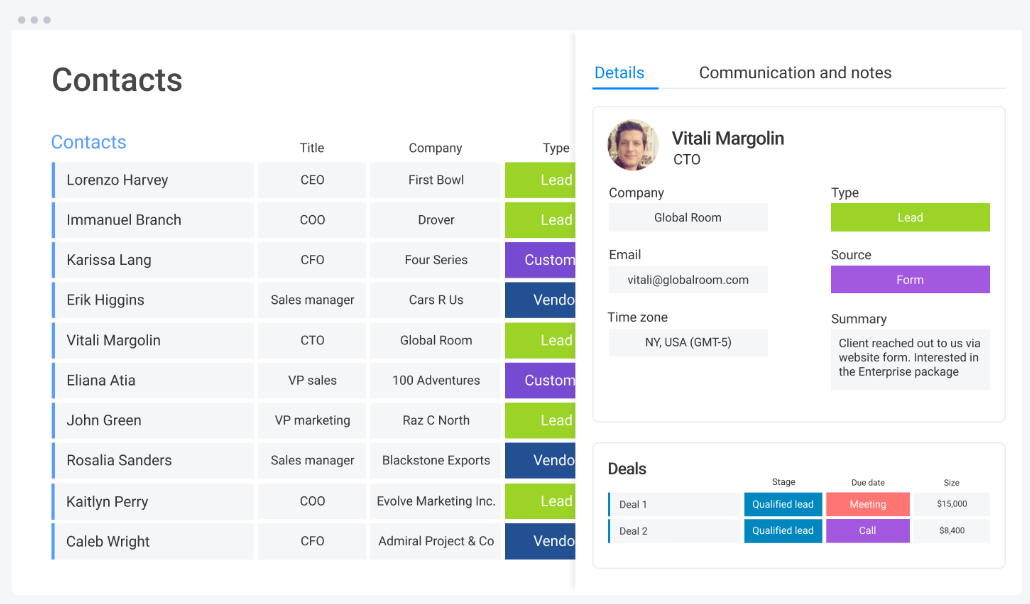
This template consolidates contact information, communication history, deal stages, and notes in one accessible board.
It’s useful for sales teams, partnerships, and any department managing ongoing relationships. Clear categories keep contacts sorted and searchable, and make it easier to manage client relationships.
Why this is an effective monday.com template: It creates a lightweight CRM that strengthens relationship management and reduces information silos. For smaller teams not looking for an expensive CRM solution, this can act as a valuable and cost-effective substitute – plus, it means anyone can see where a deal or partnership is at a glance.
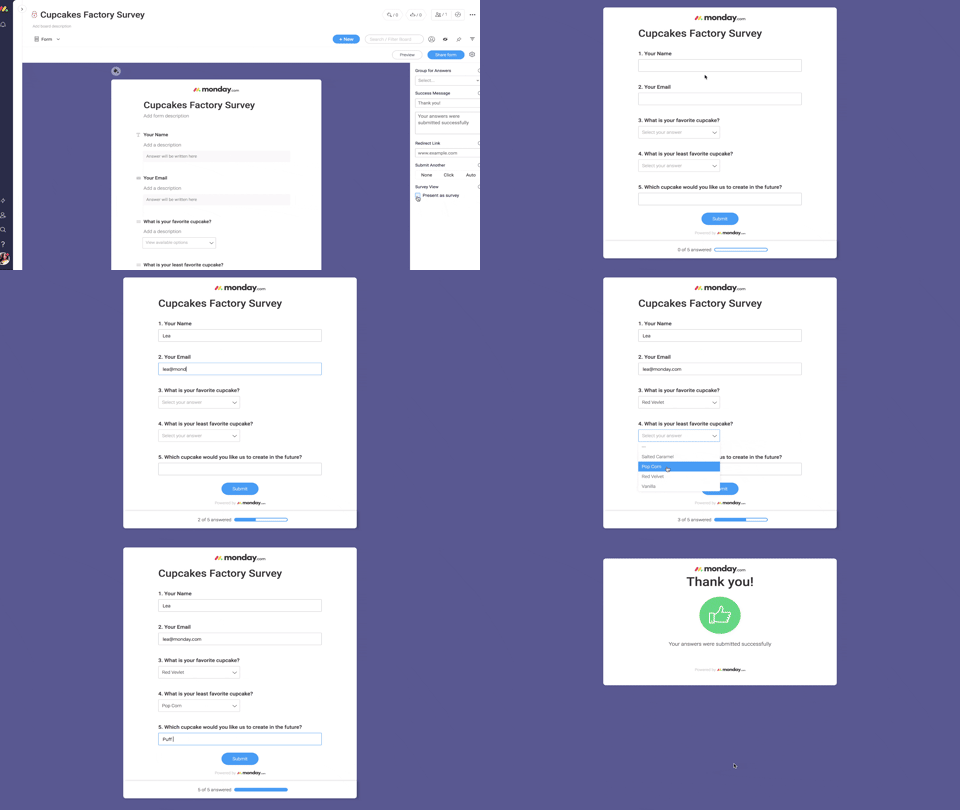
6. Employee Engagement Survey Template
Best for: Measuring employee engagement and gathering feedback
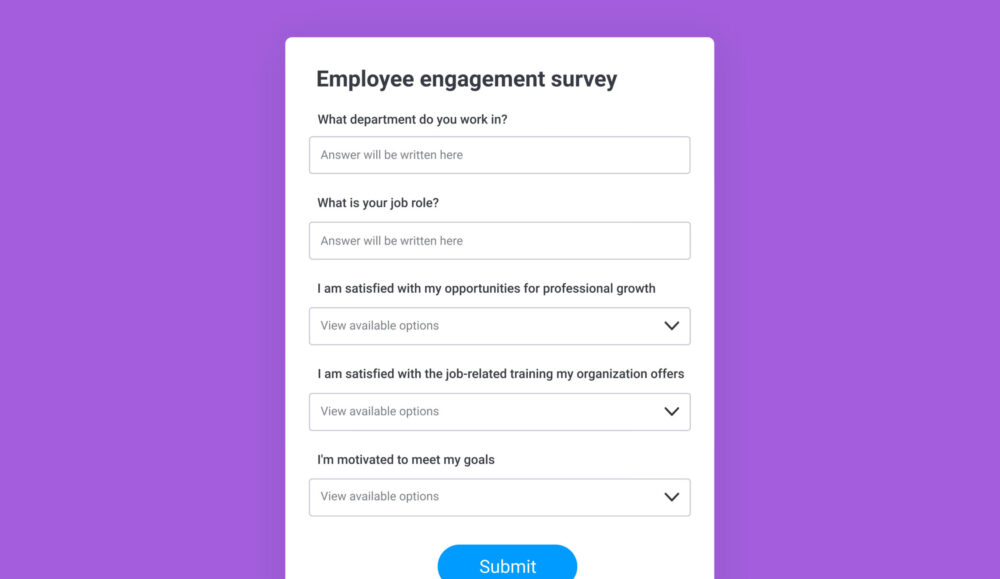
This template helps HR teams run consistent engagement surveys, collect responses, and analyze results with built-in charts and summaries. It centralizes feedback to reveal trends in morale, communication, and workplace satisfaction.
When you use this template in conjunction with quarterly check-ins from managers or HR, you get a more complete picture of team well-being and engagement. You shouldn’t replace these existing practices; you should be using this template to complement them.
Why this is an effective monday.com template: It makes it easier to run structured, data-driven surveys that inform engagement strategies. The automation tools simplify distribution and analysis, making this ideal for managers responsible for culture initiatives.
Employee Engagement Survey Template
❗️ Pro-Tip: Test out your survey before distributing! Make sure it”ss 100% what you want to send out to ensure you get maximum engagement rates!
7. Employee Well-Being Survey Template
Best for: Understanding employee wellness, stress levels, and support needs
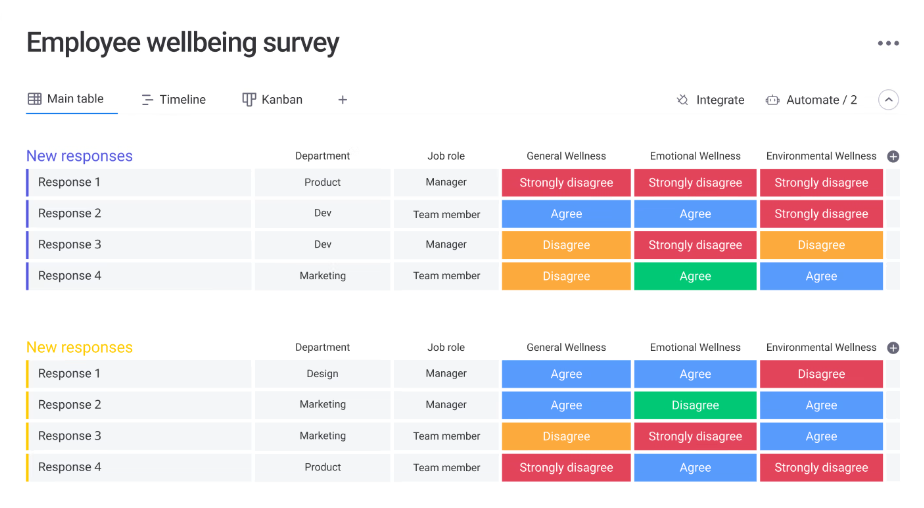
This template gathers insights into employee mental health, workload balance, and burnout risk. HR teams can use the customizable fields to track wellness trends and identify opportunities to improve support programs within their organization.
Why this is an effective monday.com template: It gives People teams a consistent and empathetic framework for monitoring well-being. While the template comes with pre-set fields, every team is different – they can be adapted to meet their specific needs.
Employee Well-Being Survey Template
8. HR Requests Template
Best for: Managing HR tickets like PTO requests, benefits questions, and employee issues
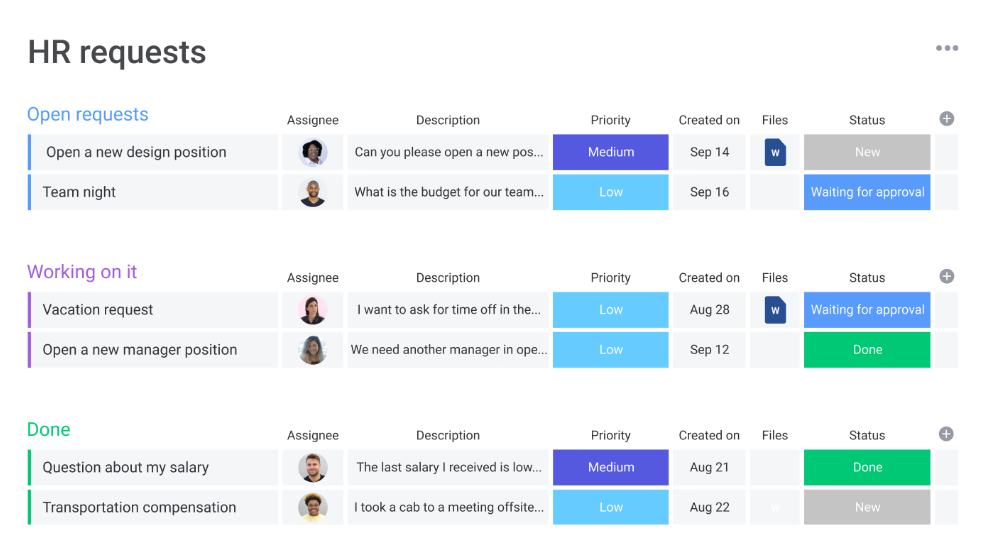
The HR Requests Template funnels all HR inquiries into one organized board with clear categories, owners, and timestamps. It standardizes how HR communicates and responds, ensuring employees get timely support.
Why this is an effective monday.com template: It drives efficiency by replacing ad-hoc emails and chats with a transparent, trackable system. It prevents oversights, which can impact employee morale or organizational errors that can lead to teams being short-staffed.
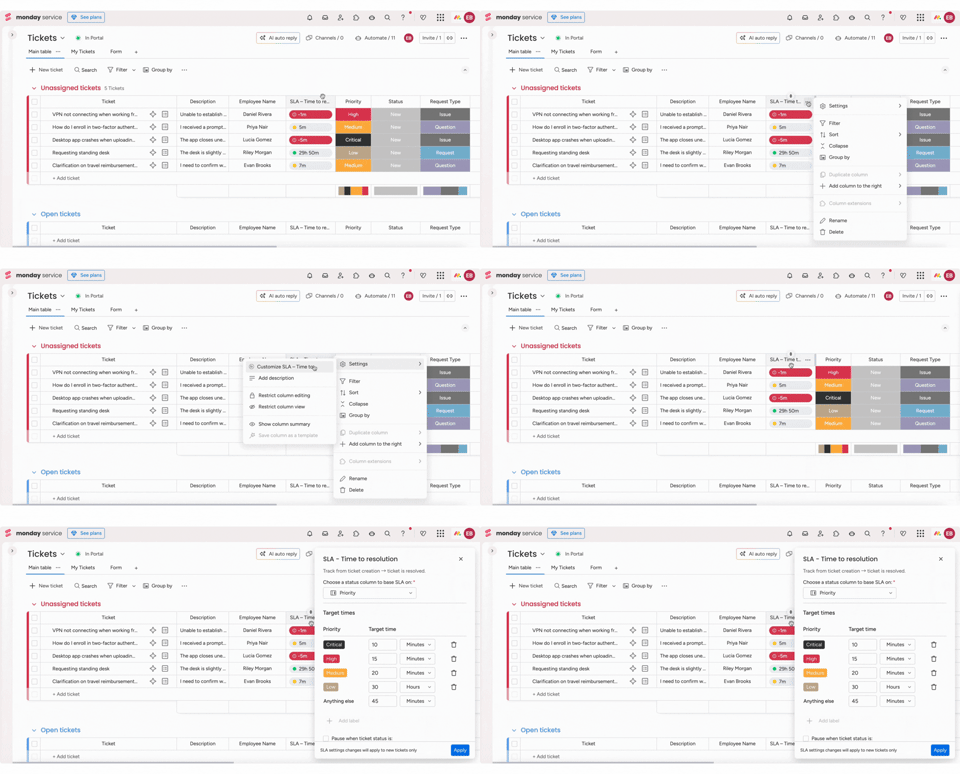
❗️ Pro-Tip: This HR template is only as good as the way you use it. A powerful tool, but we’d recommend adding SLAs via automations so employees know when to expect responses, and to further prevent requests slipping through the cracks.
9. Digital Asset Management Template
Best for: Organizing brand assets, media files, and marketing materials
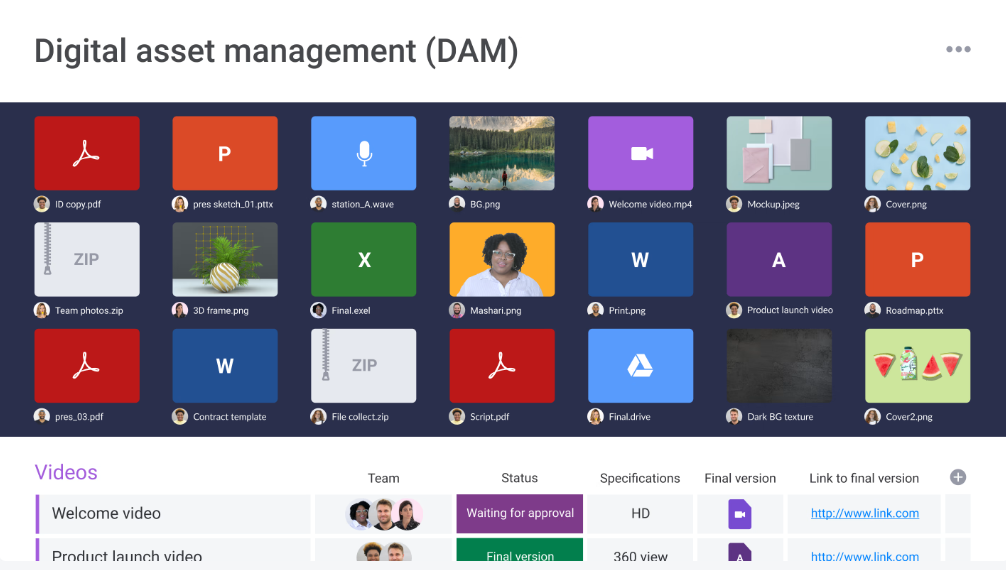
This template keeps all digital assets in one searchable hub, making it easy for teams to find images, videos, documents, and graphics.
Permissions help you control access, while version tracking prevents accidental use of outdated files.
Why this is an effective monday.com template: It eliminates content chaos and supports brand consistency – especially helpful for fast-moving creative or marketing teams. Marketing teams especially waste time looking for old assets to reuse or requesting new design work for things that already exist. This simple template can save countless hours.
Digital Asset Management Template
❗️ Pro-Tip: One of your marketing team’s biggest – and unnecessary time wastes – is probably hunting for old assets. Was that visual from 2022 sent in an email, buried in a Google Drive somewhere, perhaps? Keeping everything stored in this template will mean those days are gone.
10. Marketing Strategy Template
Best for: Planning campaigns, strategic initiatives, and long-term marketing goals
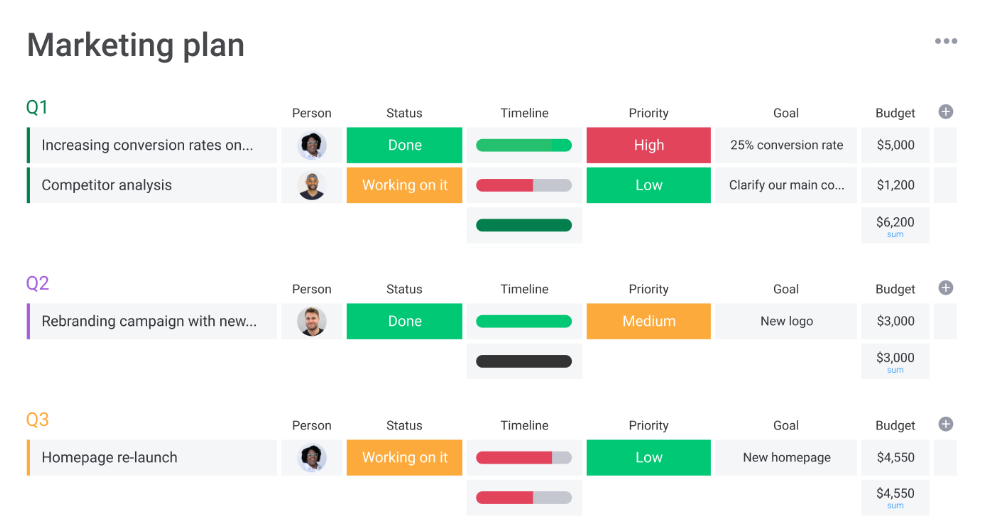
This template maps out goals, KPIs, target audiences, and campaign deliverables in a structured board. It supports cross-team collaboration with timelines, task owners, and briefs stored directly within each item.
Why this is an effective monday.com template: It provides a strategic planning framework that keeps marketing focused, aligned, and measurable. Especially helpful for organizations that have marketing sub-teams: it helps keep everyone aligned, whether they’re working on SEO, email marketing, or article writing.
Conclusion
Using the best monday.com templates gives work teams a powerful shortcut to better organization, consistency, and execution.
By adopting proven workflows – from project management processes to HR support to content planning – teams eliminate guesswork and create scalable systems that reduce stress and boost productivity. These templates don’t replace existing practices or collaboration tactics, but rather work alongside and enhance them.
For managers, marketers, HR professionals, or team leads, the right monday.com template can become a game-changer for how you manage complex projects.